
- Viewer
- Save
- Copy
- Multipage
- Fax
Copyright (C) 2010 by Steve Litt, All rights reserved. Material provided as-is, use at your own risk.
| Contents | |
Other PDF Related Pages |
|
|
To the left is the basic
Xsane window. Notice in the upper right, right below the menubar, is a
dropdown control set to "Multipage". The dropdown has the following
choices:
|
 |
|
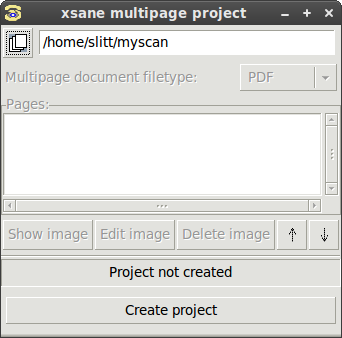
The multipage project screen,
as shown to the left, starts with the last project name in the field.
You can see I'm calling mine "myscan" and putting it in my home
directory. Then press the Create project button, which creates
directory /home/slitt/myscan. Once you click that button, a directory
structure is created and the screen changes. Here is the directory structure: slitt@mydesk:~$ find myscan myscan myscan/xsane-multipage-list slitt@mydesk:~$ And here are the contents of myscan/xsane-multipage-list:
Notice there's no image-0001.pnm. This is a dummy -- it's the next image to be created. |
 |
|
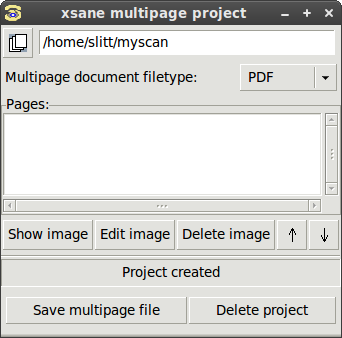
As far as the screen changes, look to the left. Now the Multipage document filetype dropdown is enabled. Make sure it's "PDF". The "Pages" window is enabled but empty. This window will later be filled with individual scans, each of which is contained on disk as a .pnm file. Each scan, which will eventually be concatenated into a .pdf, can be shown, edited, deleted, moved up in the list or moved down in the list (in other words, the pages can be rearranged). |
 |
|
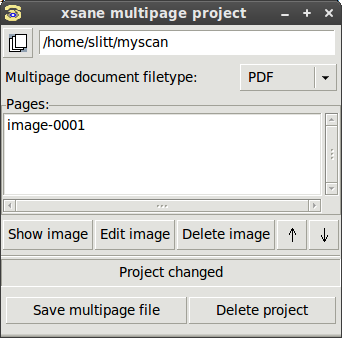
Now scan page 1. You see image-0001 in the scan window, and the directory structure has been changed as follows:
Note once again that the image-0002.pnm mentioned in myscan/xsane-multipage-list doesn't yet exist, but instead is the name of the file corresponding to the next scan. |
 |
|
Scan the next page. Now image-0002 shows in the window. Here's the directory and file structure after the two scans:
Notice the status in xsane-multipage-list is still "Project changed". This will change. Click the "Save multipage file" button and watch what happens. Nothing changes, except where it used to say "Project changed", it now says "File has been saved". |
| slitt@mydesk:~$ ls -ltr | tail -n4 drwxr-x--- 2 slitt slitt 4096 2010-06-25 14:39 junkjunk -rwx------ 1 slitt slitt 76 2010-06-25 14:44 tempsegf1277491494.bat -rw-r----- 1 slitt slitt 119476 2010-06-25 19:10 myscan.pdf drwxr-x--- 2 slitt slitt 4096 2010-06-25 19:10 myscan slitt@mydesk:~$ find myscan myscan myscan/xsane-multipage-list myscan/image-0001.pnm myscan/image-0002.pnm slitt@mydesk:~$ cat myscan/xsane-multipage-list File has been saved@@@@@@@@@@@@ image-0003.pnm image-0001.pnm image-0002.pnm slitt@mydesk:~$ |

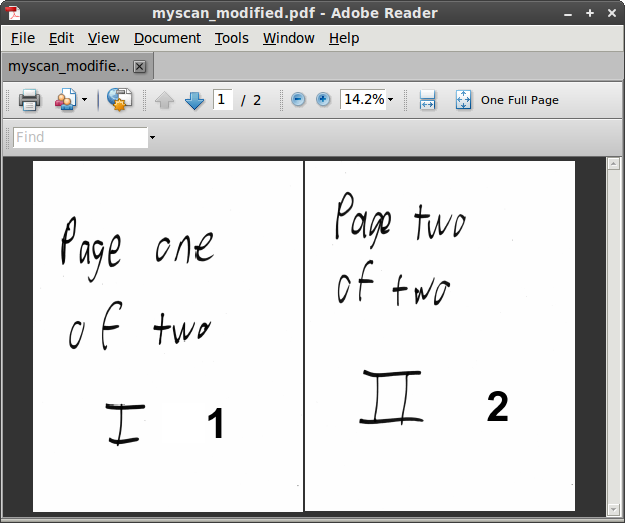 |
Notice to the left that you see the Arabic page numbers you inserted in Gimp. The reason you modified xsane-multipage-lists to create danger.sh rather than just making a script that grabs (globs) all the .pnm files is that it's possible that in Xsane you rearranged the order, and that new order is available only within xsane-multipage-list. |